
Field guide · Entry 06 of 14 · Behavior
A backpack sits alone in the lobby. Someone checks it.
GroundsWatcher links a bag to the person who set it down. When the person walks off and the bag stays past your limit, the front office gets the picture and the clip of who left it.
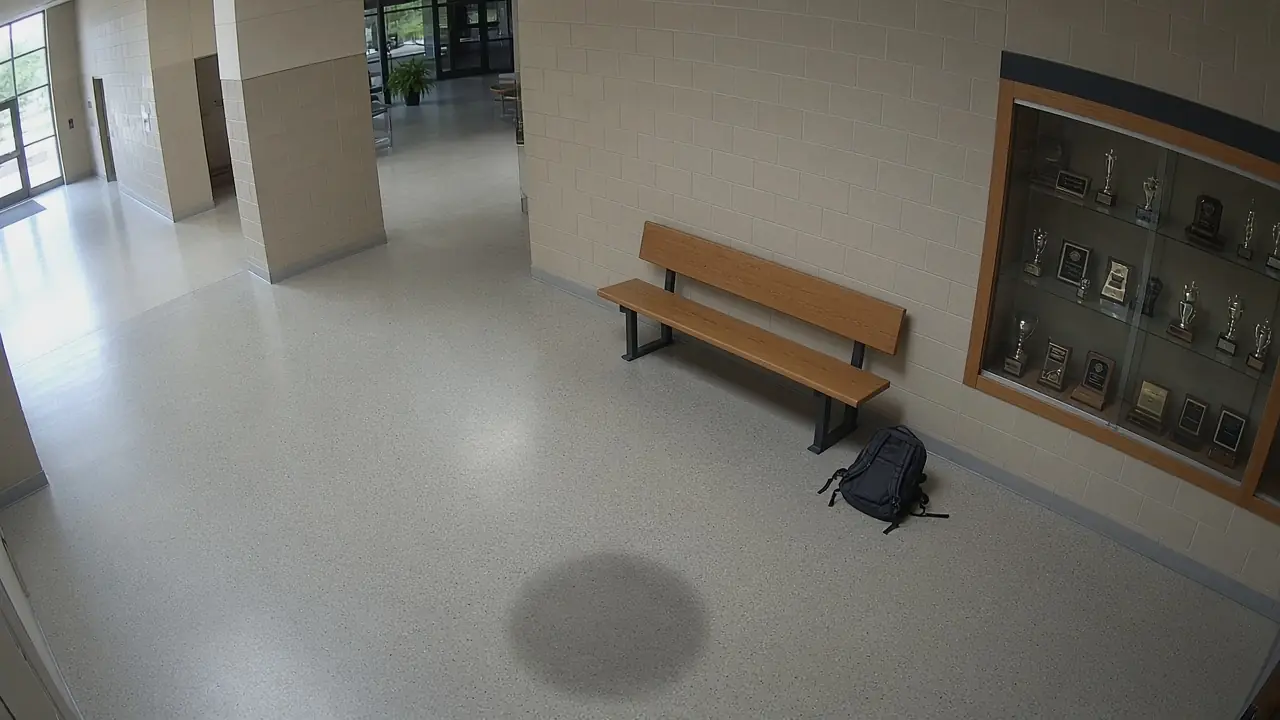
Main lobby, Camera 6Live 08:14:22
Bag leftMain lobby
How GroundsWatcher examines it
- I
See the bag set down
Bags, boxes and cases are tracked like people.
- II
Link it to its owner
The person who set it down is remembered for that visit.
- III
Watch the owner leave
Owner out of view and the bag still there.
- IV
Send the clip
The moment it was left, so staff can find the owner fast.
An invitation
See it on your own cameras.
We bring the box, set it up on the cameras and doors you have, and walk your staff through it.
The careful eye on every campus.