Field guide · Entry 08 of 14 · Doors
A door is propped open after hours. The alarm comes with the picture.
Your access system already knows when a door is held open or forced. GroundsWatcher pairs that alarm with the camera at the door, so staff see who and what in the same alert.
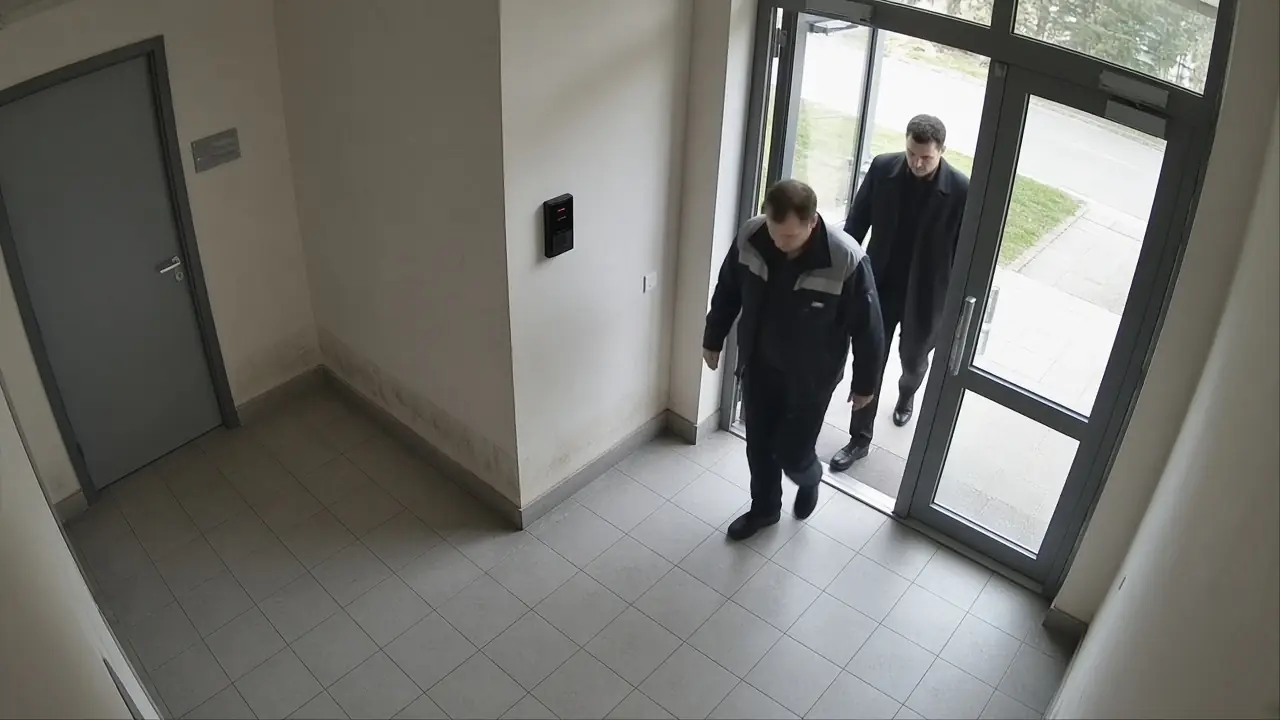
Staff entrance, Camera 11Live 08:14:22
Door held openStaff entrance
How GroundsWatcher examines it
- I
Hear the door
Your access system sends the door event to GroundsWatcher.
- II
Grab the picture
GroundsWatcher pulls the still and clip from the camera at that door.
- III
Apply your rules
Hours, doors and who gets told, set by you.
- IV
Send it
The alert carries the picture. Staff open it and mark it handled.
An invitation
See it on your own cameras.
We bring the box, set it up on the cameras and doors you have, and walk your staff through it.
The careful eye on every campus.